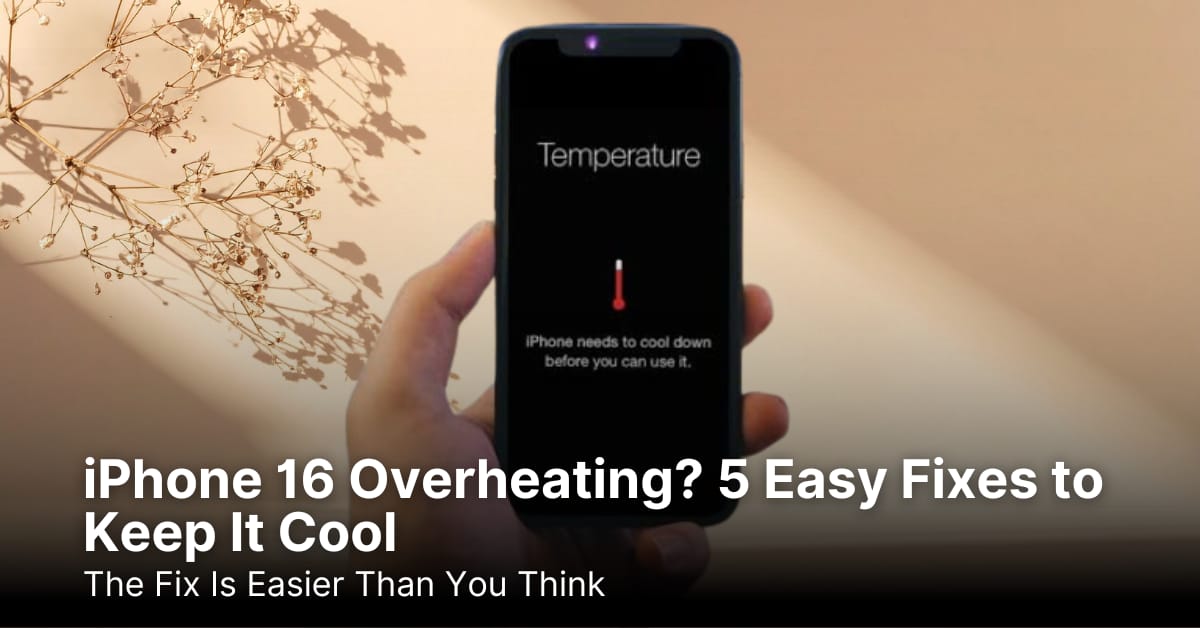
IPHONE • DAILYTECH.ID - If you’ve noticed your iPhone 16 overheating, you’re not alone. Many users report that their phones get unusually hot during charging, gaming, or even simple browsing. While the iPhone 16 is packed with advanced features, pushing it too hard can sometimes cause heat issues.
The good news? Most of the time, iPhone 16 overheating isn’t a sign of permanent damage. It usually comes down to settings, habits, or temporary bugs that you can fix quickly. With a few adjustments, you can keep your iPhone running cooler and extend its lifespan.
In this guide, we’ll explore five easy fixes to prevent overheating, plus some bonus tips to help your iPhone perform at its best. Let’s dive right in.
Read More : Head-to-Head Specs: iPhone 16 Pro Max vs. the Competition
Quick Look: iPhone 16 Heat Factors
| Heat Trigger | Why It Happens | Quick Fix |
|---|---|---|
| Heavy apps or games | GPU/CPU runs at max | Close unused apps, reduce graphics |
| Charging habits | Fast charging + case | Remove case, use official cable |
| Background activity | Too many apps syncing | Turn off background refresh |
| Hot environment | Sunlight or hot car | Keep phone in shade, room temp |
| Software bugs | iOS glitches | Update to latest version |
Why Does the iPhone 16 Overheat?
The iPhone 16 is engineered with Apple’s most powerful chip yet, which means more speed and efficiency. But like any high-performance device, heat builds up when the hardware is under stress. Gaming, editing videos, or using AR apps can push the phone to its limits.
Charging can also be a culprit. If you charge while streaming or playing games, the battery works harder and produces extra heat. Add a case that traps warmth, and your iPhone might feel like a mini-heater in your hand.
Another factor is background processes. Apps running behind the scenes, like location tracking, automatic updates, or widgets can silently drain your battery and raise temperatures. Even something as simple as weak Wi-Fi or 5G signals makes your phone work harder to stay connected.
5 Easy Fixes to Stop iPhone 16 Overheating
1. Adjust Your Charging Habits
Charging generates heat naturally, but bad habits can make it worse. If your iPhone feels hot during charging, try these quick fixes:
- Use only Apple-certified cables and adapters, don’t use chargers that are not original.
- Avoid covering your iPhone with a case while charging.
- Don’t place the phone on beds, couches, or soft surfaces that block airflow.
- Stop using the phone while it’s plugged in, especially for gaming or streaming.
A small change like charging on a flat, cool surface, and not using the phone while it’s plugged in can make a big difference.
2. Manage Background Apps and Refresh
Too many apps running at once drain resources and cause overheating. iPhones are designed to multitask, but there’s a limit.
Here’s what you can do:
- Swipe up and close apps you’re not using.
- Go to Settings > General > Background App Refresh and disable it for apps you don’t need.
- Turn off unnecessary widgets that constantly update.
This not only reduces heat but also extends your battery life.
Read More : iPhone 16: How It Stacks Up Against All Previous Models
3. Reduce Graphics and Motion
High-end games and animations look stunning on the iPhone 16, but they can be resource-heavy. If your phone heats up during play, lowering graphics is a smart move.
Try these tweaks:
- Lower the game’s graphic settings.
- Turn off motion effects under Settings > Accessibility > Motion.
- Limit AR features unless you really need them.
Your gameplay will still be smooth, and your iPhone won’t feel like it’s burning up.
4. Keep It Out of Hot Environments
iPhones are designed to work best between 32°F and 95°F (0°C to 35°C). Exposing your device to direct sunlight or leaving it inside a parked car can quickly cause overheating.
To avoid this:
- Keep your iPhone shaded or indoors whenever possible.
- Don’t leave it charging under a pillow or blanket.
- If it overheats outdoors, turn it off and let it cool before using it again.
Think of your iPhone like your own body, it performs best at comfortable room temperature.
5. Update iOS and Reset Settings if Needed
Sometimes, overheating is tied to software bugs. Apple frequently releases updates to optimize performance and fix these glitches.
What you should do:
- Go to Settings > General > Software Update and install the latest version.
- If overheating persists, reset all settings under Settings > General > Transfer or Reset iPhone. Don’t worry, this won’t erase your data, just your preferences.
Keeping your iPhone updated ensures it runs efficiently with fewer overheating issues.
Bonus Tips to Keep Your iPhone 16 Cool
- Switch to Low Power Mode when you don’t need full performance.
- Use Airplane Mode in areas with poor reception.
- Avoid long gaming or streaming sessions while charging.
- Remove bulky cases during heavy use.
These small tricks add up and keep your device performing smoothly.
FAQs About iPhone 16 Overheating
1. Is iPhone 16 overheating dangerous?
Not usually. Temporary heat is normal, but if it feels too hot to hold, stop using it and let it cool down.
2. Can I still use my iPhone while charging?
Yes, but it may heat up more. For the coolest charging experience, avoid heavy apps while plugged in.
3. Does fast charging make the iPhone hotter?
Yes, fast charging naturally produces more heat. Removing the case and using certified chargers helps.
4. Should I put my iPhone in the fridge if it overheats?
No. Sudden temperature changes can damage the phone. Let it cool naturally in a shaded, cool place.
5. Will Apple fix overheating issues with updates?
Often yes. Apple regularly patches software to optimize performance and reduce overheating.
Read More : The Big Decision: Upgrading to the iPhone 16 or Sticking with What You Have?
Conclusion: Keep Your iPhone Cool the Smart Way
- Overheating is common but usually easy to manage.
- Charging habits and background apps are the main culprits.
- Software updates can fix hidden bugs.
- Keeping your iPhone out of heat is essential.
- With a few simple adjustments, your iPhone 16 stays cool and performs like new.