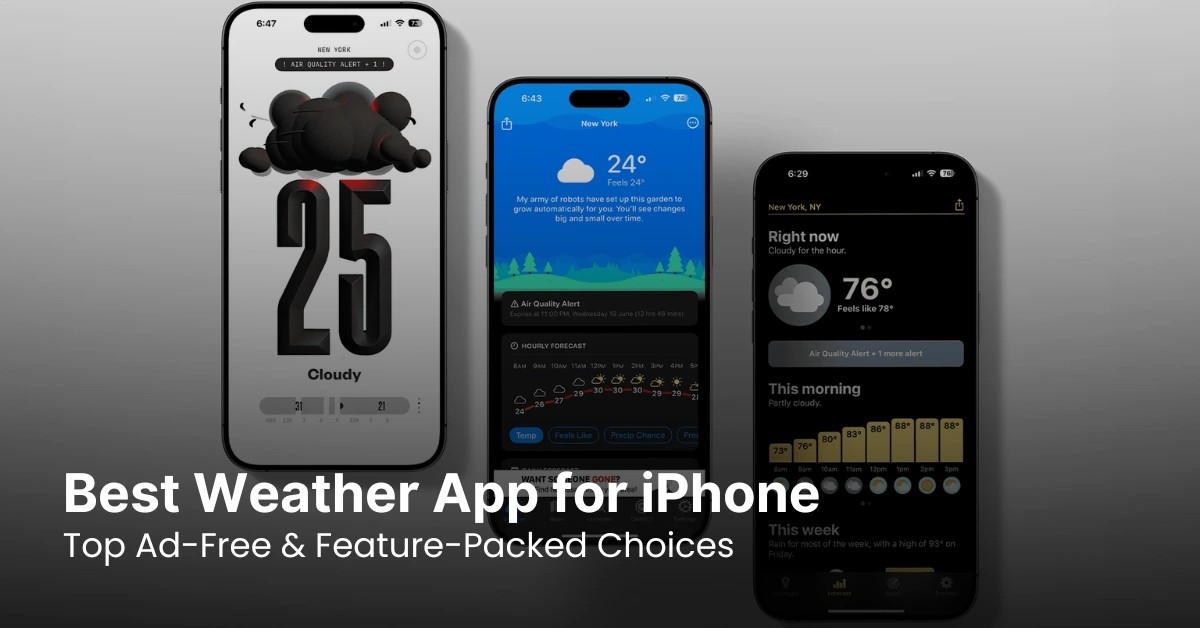
IPHONE • DAILYTECH.ID - Having the best weather app for iPhone ensures you get accurate forecasts, real-time alerts, and interactive radar maps whenever you need them. Whether you’re planning a trip or just checking daily conditions, a reliable weather app is essential. Some iPhone apps offer premium features, while others provide an ad-free experience for a seamless forecast check.
With so many options available, choosing the right app can be overwhelming. Some apps excel in accuracy, while others stand out with their user-friendly design and iOS integration. This article reviews the top weather apps for iPhone, including the best ad-free choices, so you can find the perfect one to match your needs.
Best Weather App for iPhone
Criteria for the Best Weather App
Choosing the best weather app for iPhone requires considering several key factors to ensure you get the most accurate and useful information. A good weather app should not only provide forecasts but also enhance your overall experience with additional features and seamless integration with your device. Here are the essential criteria to evaluate:
1. Accuracy of Weather Forecasts
The primary function of a weather app is to deliver precise and up-to-date weather information. The best apps use reliable data sources such as The Weather Channel, NOAA (National Oceanic and Atmospheric Administration), and AccuWeather to ensure high accuracy. Look for apps that offer:
- Real-time updates with minute-by-minute forecasts.
- Long-range predictions for planning ahead.
- Severe weather alerts to stay prepared for extreme conditions.
2. Comprehensive Features
A top-tier weather app should provide more than just basic temperature readings. Some of the most useful features include:
- Interactive radar maps – Show live weather patterns, including storms and precipitation.
- Severe weather notifications – Alerts for hurricanes, tornadoes, heavy rainfall, or snowstorms.
- UV index and air quality reports – Essential for outdoor activities and health concerns.
- Widgets and lock screen support – Quick access to weather updates without opening the app.
3. User-Friendly Interface
A well-designed weather app should be easy to navigate, with a clean and intuitive layout. The best apps provide:
- Clear and organized information – Temperature, forecast details, and weather conditions at a glance.
- Customizable themes and layouts – Some apps allow users to personalize the display.
- Dark mode support – Helps reduce eye strain, especially at night.
4. iOS Integration and Device Compatibility
Seamless compatibility with iOS devices enhances user experience. The best weather apps should:
- Support Apple Watch – Display weather updates directly on your wrist.
- Work with Siri and Shortcuts – Allow voice commands to check the weather.
- Provide real-time widgets – Show forecasts on the home screen for quick access.
5. Ad-Free or Minimal Ads Option
Ads can be disruptive, especially when checking urgent weather updates. Many free apps rely on ads, but some offer premium versions with an ad-free experience. If you prefer a cleaner interface, look for apps that:
- Are completely ad-free (like Apple Weather).
- Offer a premium, ad-free subscription (like CARROT Weather or AccuWeather Premium).
By considering these factors, you can choose a weather app that best suits your needs—whether you want detailed radar maps, severe weather alerts, or an ad-free experience for a smooth and hassle-free forecast check.
Top Weather Apps for iPhone
Choosing the right weather app for iPhone depends on what you need—whether it’s high accuracy, advanced features, or an ad-free experience. Below are some of the best weather apps available on the App Store, each offering unique benefits.
The Weather Channel
The Weather Channel is one of the most popular and reliable weather apps, providing accurate forecasts based on data from official sources.
Key Features:
- Hourly, daily, and 10-day weather forecasts.
- Interactive radar maps with real-time weather updates.
- Severe weather alerts for storms, hurricanes, and tornadoes.
- Air quality and allergy index for health-conscious users.
- Premium version available for an ad-free experience.
This app is perfect for users who need detailed and real-time weather information.
Carrot Weather
Carrot Weather offers a unique twist by combining accurate forecasts with a humorous, AI-powered personality. The app provides sarcastic and witty weather updates, making it an entertaining choice.
Key Features:
- Forecasts from multiple trusted sources.
- Customizable humor settings for different levels of sarcasm.
- Radar maps, severe weather notifications, and Apple Watch support.
- Premium version removes ads and unlocks additional features like advanced widgets and historical data.
This app is great for users looking for a fun and engaging weather app without compromising on accuracy.
AccuWeather
AccuWeather is known for its precision, especially with its MinuteCast feature, which delivers minute-by-minute weather updates for a user’s exact location.
Key Features:
- Highly accurate short-term and long-term forecasts.
- RealFeel® technology to provide a more realistic temperature perception.
- Interactive radar and extreme weather warnings.
- Ad-free premium version with in-depth weather insights.
This app is ideal for those who need detailed and highly accurate weather forecasts, especially for outdoor activities.
WeatherBug
WeatherBug is a great option for users who want fast and reliable severe weather alerts. It features a lightning detection system that tracks storms in real time.
Key Features:
- Hourly and daily forecasts with high accuracy.
- Real-time severe weather alerts and lightning detection.
- Interactive radar maps and air quality reports.
- Customizable widgets for quick weather updates.
This app is highly recommended for people living in areas where weather conditions change rapidly.
Apple Weather
Apple Weather is the default weather app on iPhone, offering a clean and simple interface with reliable data. Thanks to Apple’s acquisition of Dark Sky, the app has become even more precise.
Key Features:
- Hourly, daily, and 10-day forecasts.
- Severe weather notifications and air quality index.
- Minimalist design for an easy-to-read experience.
- Perfect integration with iOS, including Apple Watch and lock screen widgets.
Since it’s completely ad-free and pre-installed on every iPhone, Apple Weather is the best choice for those who want a simple yet powerful weather app.
With these top weather apps, you can choose the one that best fits your needs—whether you prioritize accuracy, extreme weather alerts, or an ad-free experience.
Best Weather App for iPhone Without Ads
Many weather apps provide useful features, but most free options come with ads that can be intrusive. If you want a completely free weather app without ads, your choices are limited but still offer accurate forecasts and essential features. Below are the best ad-free weather apps for iPhone.
Why Choose an Ad-Free Weather App?
Ads in weather apps can be annoying, slow down performance, and even affect battery life. Choosing an ad-free weather app ensures:
- A smoother experience with no pop-ups or banner ads.
- Faster app performance without ad loading delays.
- More privacy since ad-supported apps often track user data.
If you’re looking for a 100% free and ad-free weather app, here are the best options.
Apple Weather
Apple Weather is the best free weather app without ads, as it comes pre-installed on every iPhone. After acquiring Dark Sky, Apple improved the app’s accuracy and hyperlocal forecasting.
Why choose Apple Weather?
- Completely free and ad-free.
- Accurate hourly, daily, and 10-day forecasts.
- Severe weather alerts and air quality index.
- Seamless integration with iOS and Apple Watch.
If you don’t want to install a third-party app, Apple Weather is the best default choice for an ad-free experience.
Ventusky
Ventusky is a powerful weather app that provides detailed weather maps without displaying ads. It focuses on visualization, making it ideal for users who prefer graphical forecasts.
Why choose Ventusky?
- Free and completely ad-free.
- Live weather maps with wind, temperature, and precipitation layers.
- Detailed global weather data from multiple sources.
- No unnecessary notifications or distractions.
Ventusky is best for those who want a visually rich, ad-free weather experience without unnecessary clutter.
NOAA Weather Radar Live (Government-Based Apps)
Apps using NOAA (National Oceanic and Atmospheric Administration) data often provide ad-free weather forecasts since they rely on government data rather than advertising revenue.
Why choose NOAA Weather Apps?
- Free and ad-free with official NOAA data.
- Accurate weather warnings and radar maps.
- Real-time severe weather alerts.
- Reliable data for U.S. users.
While some NOAA-based apps have paid versions, several NOAA apps remain ad-free, making them a great choice for accurate and government-backed weather information.
Yr.no (Norwegian Meteorological Institute)
Yr.no is a free weather app from the Norwegian Meteorological Institute, providing global forecasts without ads. It is well-known for its simple yet reliable weather data.
Why choose Yr.no?
- 100% free with no ads.
- High-quality weather predictions based on meteorological research.
- Covers global locations with a focus on Europe and Scandinavia.
- User-friendly interface with clear weather details.
Yr.no is ideal for users looking for a clean and scientific approach to weather forecasting without ad interruptions.
Conclusion
If you’re looking for a completely free weather app without ads, Apple Weather is the best choice for iPhone users. However, apps like Ventusky, Yr.no, and NOAA-based weather apps also provide excellent ad-free experiences with unique features. By choosing an ad-free app, you get a clean, fast, and privacy-friendly weather forecast without distractions.